

“Unless you think any of the issues listed have or will affect you, our advice is to skip the upgrade, we will roll these out automatically over the next few weeks.”
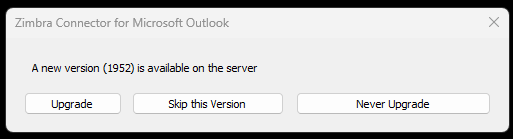
A new version of the Zimbra Connector for Outlook has been released, so if you use our Zimbra hosting you may start seeing this message in Outlook.
Although Synacor do not maintain release notes for the ZCO separately, these can be found within the release notes for the server product which is found at https://wiki.zimbra.com/wiki/Zimbra_Releases
The release notes for this version are:
- An issue where Outlook crashed when using the Zimbra Connector for Outlook (ZCO) with two-factor authentication (2FA) enabled has been resolved. Previously, if a user’s trusted devices were revoked or if certain 2FA attributes were empty, Outlook could crash instead of prompting for a passcode. This has now been fixed, ensuring the 2FA passcode prompt appears as expected and the application remains stable.
- An issue where the last attachment in an email was missing in Zimbra Connector for Outlook (ZCO) has been resolved. Previously, if a MIME boundary delimiter was not preceded by a new line, the final attachment was not recognized and failed to display in Outlook. This has now been fixed, ensuring all attachments(whose Mime boundary was corrupted) are correctly parsed and visible.
- An issue where Outlook configured with Zimbra Connector for Outlook (ZCO) failed to prompt for a new password after a user’s password expired has been resolved. Previously, when a password expired, Outlook would fail to send or receive emails silently without displaying a credential prompt. This has now been fixed, ensuring that ZCO correctly triggers a password change prompt, allowing users to change their credentials and resume email operations as expected. An issue in the Zimbra Connector for Outlook (ZCO) where attachments exceeding the server size limit caused a “ghost” state in the compose window has been resolved.
- Previously, when adding multiple files that collectively exceeded the server’s limit, ZCO would display an error, but the compose window would incorrectly appear as if no attachments were added. With this fix, ZCO now uses a dedicated Zimbra dialog to handle oversized attachments. When the limit is exceeded, the oversized files are automatically removed, and a clear notification is displayed.
Unless you think any of the issues listed above have or will affect you, our advice is to skip the upgrade, we will roll these out to users covered by an active Block Hours IT Support Agreement automatically over the next few weeks.